Building a Brand-Consistent Email System

Every day, your subscribers are bombarded with dozens of emails. Standing out requires more than a clever subject line - it requires a recognizable, trustworthy, and cohesive identity. Brand consistency in email is not aesthetic - it is strategic.
What you will learn: Why brand consistency matters, the core elements of email brand identity, how to create guidelines, build template libraries, enforce across teams, and how MiN8T's features solve this.
1 Why Brand Consistency Matters
When a subscriber opens your email, they should immediately know who it is from without checking the sender address. Consistent colors, typography, and tone signal professionalism and reliability.
- Trust: In an era of phishing, visually consistent emails reassure readers the message is legitimate
- Recognition: Your exact shade of blue, distinct font, and photography style build instant recall
- Revenue: 84% of teams improved on-brand design creation by 50%+ when using centralized guidelines
Key insight: Disjointed, off-brand emails increase cognitive friction and decrease trust, leading to higher bounce rates and lower click-through rates.
2 Core Elements of Email Brand Identity

Colors
Define exact HEX codes for primary and secondary colors. Document how they behave in dark mode.
Fonts & Typography
Specify font families, sizes, line heights, and weights for every text level (H1, H2, body, fine print). Always define fallback web-safe fonts.
Logos & Iconography
Exact placement rules, clear space requirements, and light/dark background variants.
Tone of Voice
Is your brand casual and playful with emojis? Or authoritative and corporate? Define personality so every writer sounds like the same entity.
Imagery Style
Candid lifestyle photography vs polished studio shots. Color filters, overlays, mandatory alt-text rules.
3 Creating Brand Guidelines for Email
Your email brand guidelines should be the single source of truth. Document:
- Header & footer anatomy - legal disclaimers, copyright, physical address, unsubscribe link
- Button styling - border radius, padding, font weight, hover states
- Spacing & alignment - padding between content blocks
- Accessibility - contrast ratios, minimum font sizes
4 Template Systems

Modular Design
Break emails into reusable content blocks (headers, footers, product grids). Marketers assemble new emails like Lego bricks - every piece already optimized and on-brand.
Essential Template Categories
- Newsletters - content-heavy, multiple sections
- Promotional blasts - single strong CTA
- Transactional - order confirmations, shipping, password resets
- Automated journeys - welcome series, abandoned cart, re-engagement
5 Enforcing Across Teams

Roles & Permissions
Designers own master templates and brand settings. Content creators only edit text and swap images within pre-approved boundaries.
Approval Workflows
Every email passes through QA before sending - reviewed for brand alignment, mobile responsiveness, and rendering.
Centralized Asset Management
All logos, images, and graphics stored in one cloud repository. When the logo updates, it cascades everywhere.
6 Common Mistakes

- The "Frankenstein" email - duplicating old sends instead of starting from master templates
- Ignoring mobile - on-brand on desktop, broken on phone
- Inconsistent CTAs - pill-shaped blue in one email, square red in the next
- Neglecting the footer - broken social icons, missing legal copy
- Rogue typography - someone manually overrides fonts to Comic Sans
7 How MiN8T Solves This
- Global Brand Guidelines - HEX codes, fonts, typography hardcoded into your workspace. Every new email inherits them automatically.
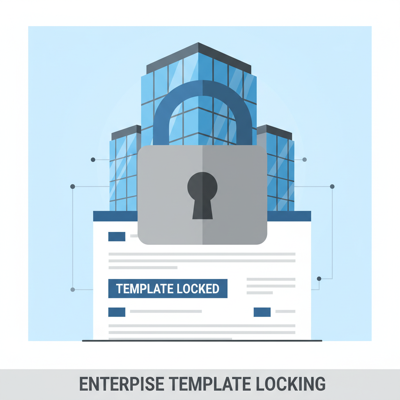
- Template Locking - lock layout structure, padding, colors, header/footer. Marketers edit copy and images only.
- Reusable Content Blocks - save, categorize, drag-and-drop. Update a master block and sync across all templates.
- Role-Based Access - granular permissions ensure only authorized personnel modify brand settings.
- Version History - track every change, compare versions, restore checkpoints.
Enforce Brand Consistency at Scale
MiN8T's Brand Guidelines and Template Locking eliminate rogue designs. Every email, every team, always on-brand.
Start Building for Free